VPS deals reader question
How to compare a VPS deal when tax appears only at checkout
Answer: compare the advertised rate, the stated billing term, the pre-tax subtotal, and the checkout tax line as separate fields. A public note that taxes may apply is not a customer-specific tax amount. Keep the final amount unknown until checkout shows the currency, tax or fee lines, and total charged now.
Capture the public offer first
Copy the plan name, currency, display rate, payment term, and promotion window exactly as the provider shows them. A “/month” label can be a comparison unit for a prepaid term. Hostinger states that its VPS plans are paid upfront and that the monthly rate is divided from the total, so the display rate is not automatically the amount charged each month.
Mark tax as a checkout-only field
IONOS's public VPS page says state and local sales taxes may apply. That is evidence that tax can change the total, but it does not publish a universal customer tax amount. Record tax unknown until the checkout summary shows the line for the buyer's location and currency.
Compare like with like
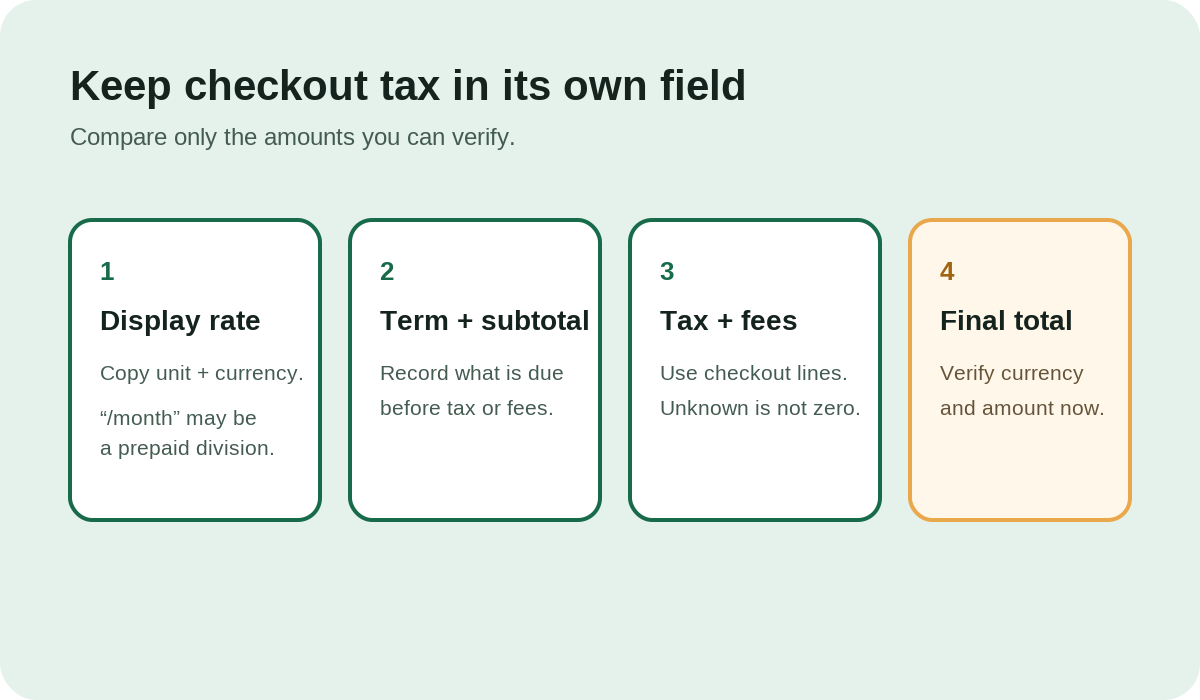
- Display rate: advertised number, unit, and currency.
- Term and subtotal: period covered and amount due before tax or fees.
- Tax and fees: every checkout line item, or “unknown” when not exposed.
- Final total: amount charged now, in the same currency.
Do not subtract or add an assumed percentage. Do not treat a missing tax line as zero. If two providers use different terms or one shows tax only at checkout, pause the comparison until the same fields are visible.
What the public sources support today
This collection checked Hostinger's VPS page and IONOS's cheap VPS page at 2026-10-25T00:59:18Z. Hostinger publishes upfront-billing wording; IONOS publishes promotional VPS cards and a state/local-tax notice. Neither public page provides a universal customer-specific checkout tax or final total.
Decision rule: compare only after the same billing term, currency, tax treatment, fees, and amount charged now are recorded. Unknown stays unknown; it is not a zero.
Continue with the taxes, fees, and final amount guide and the upfront-total guide.
Last public-source check: 2026-10-25T00:59:18Z. Confirm the current tax lines and total in the provider checkout before paying.