Reader question
How to compare VPS prices without assuming they are current
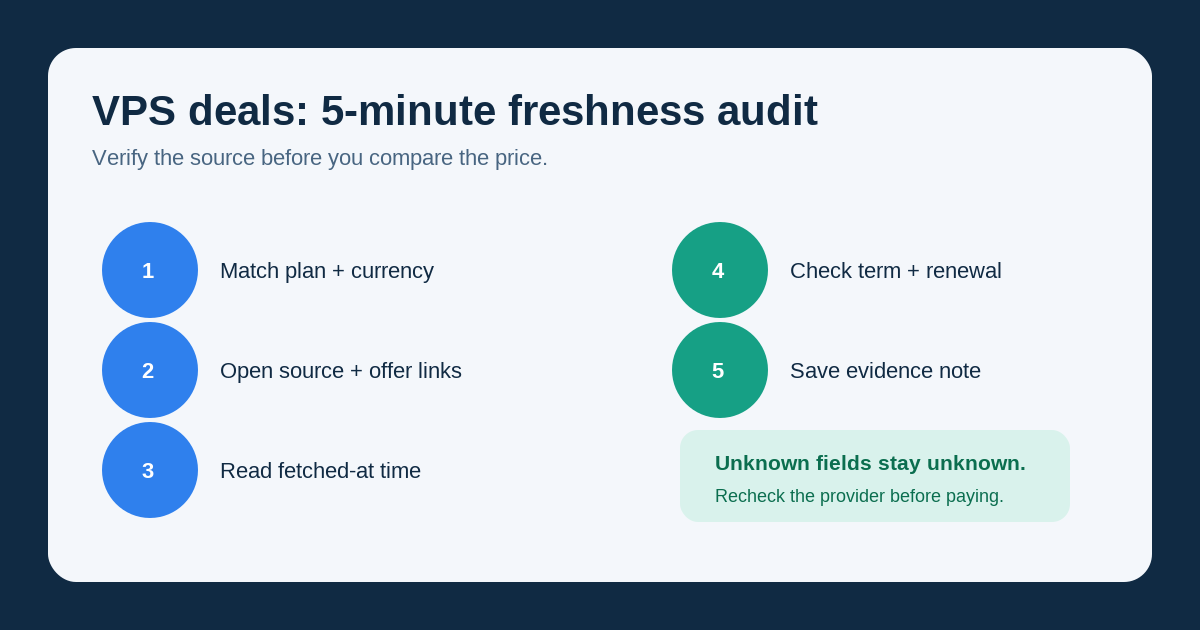
A collected price is a record of a source check. Reopen the official page before using it to make a purchasing decision.
Read the source and timestamp together
On the comparison page, follow the official source. Open the matching offer card to read its fetched-at timestamp. Different check times can explain different prices; neither timestamp guarantees a current quote.
Keep the offer title attached to the price
Record the exact plan name and currency. A promotion in a plan title describes the parsed source text. It is not a verified renewal price, total bill, or calendar expiry date.
Check the billing term before comparing totals
Confirm the introductory period, renewal amount, billing commitment, taxes, and setup fees on the provider page. These terms are not separate verified fields in this site's current dataset. Leave them unknown until the provider publishes them clearly; do not multiply a headline price into an annual cost without checking the term.
Use missing information as a reason to check
If a provider page is blocked, robots.txt cannot be verified, or the parser cannot identify an offer, this site omits it from the refreshed cards. Omission does not mean the provider has no plans. A missing valid-until field does not mean an offer lasts forever.
A short comparison worksheet
| Field | What to verify |
|---|---|
| Title, price, currency | Match the named plan to the official page. |
| Source URL, offer URL | Use the linked official page as the primary evidence. |
| Fetched-at timestamp | Read as the collection time, then check the provider again. |
| Valid until | Use only an explicit verified date; leave absent dates unknown. |
Continue with the before-ordering checklist.
Last collection attempt: 2026-11-23T23:37:46Z. This guide makes no current-price or ranking claim.